
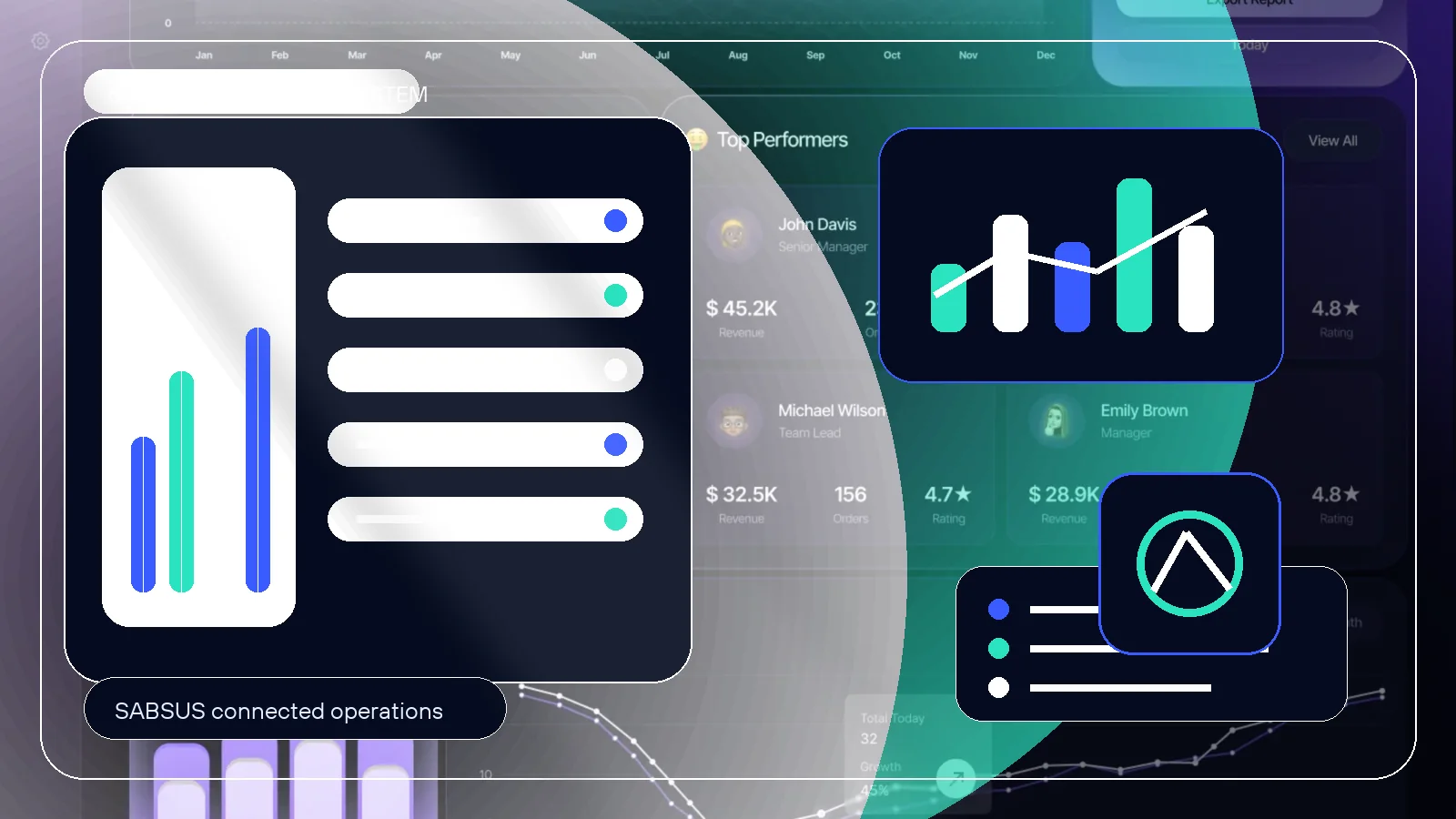
Excel is not the problem. The problem is asking a file to run a business. Проблема не в Excel. Проблема в том, что файл начинают использовать как операционную систему.
Excel often becomes the first management tool because it is fast, flexible and familiar. A founder can create a table, add columns, formulas, statuses, totals, comments, stock levels, customers, orders, tasks and reports. At the beginning, this feels like control. Excel часто становится первым инструментом управления, потому что он быстрый, гибкий и понятный. Владелец может создать таблицу, добавить колонки, формулы, статусы, суммы, комментарии, остатки, клиентов, заказы, задачи и отчеты. На старте это действительно дает ощущение контроля.
The turning point comes with growth. There are more orders, more customers, more employees, more products, more payments, more deliveries, more returns, more documents and more exceptions. The table that used to help starts slowing down the work because it no longer reflects reality fast enough. Переломный момент наступает при росте. Появляется больше заказов, клиентов, сотрудников, товаров, оплат, доставок, возвратов, документов и исключений. Таблица, которая раньше помогала, начинает тормозить работу, потому что больше не отражает реальность достаточно быстро.
A spreadsheet can store data. It cannot fully accept an order from a website, connect it to a customer, reserve inventory, assign a task, update a status, send a notification, accept payment, hand the order to delivery, create a document and push everything into analytics. Таблица может хранить данные. Но она не может полноценно принять заказ с сайта, связать его с клиентом, зарезервировать склад, назначить задачу, обновить статус, отправить уведомление, принять оплату, передать заказ в доставку, создать документ и отправить все в аналитику.
Excel stops working not when the business becomes “too big”, but when data must move together with operations. Excel перестает работать не тогда, когда бизнес становится “слишком большим”, а тогда, когда данные должны двигаться вместе с процессами. Modern operations are events: order created, payment received, item reserved, task assigned, status changed. Современные операции - это события: заказ создан, оплата прошла, товар зарезервирован, задача назначена, статус изменился.
Why spreadsheets feel effective in a small business Почему таблицы кажутся эффективными в маленьком бизнесе
On a small volume, almost everything is held together by personal attention. If there are five to ten orders per day, the owner can update a file manually. If the customer base is small, the team can remember the context. If inventory is simple, someone can check the shelf. If there are two or three employees, tasks can still be discussed in a chat. На небольшом объеме почти все держится на личном контроле. Если заказов пять-десять в день, владелец может обновить файл вручную. Если клиентов немного, команда помнит контекст. Если склад простой, наличие можно проверить глазами. Если сотрудников двое или трое, задачи еще можно обсудить в чате.
Quick to createБыстро создать
No implementation, no training, no setup. A table can appear in one evening and immediately hold clients, orders, stock and basic totals.Не нужны внедрение, обучение и настройка. Таблица появляется за вечер и сразу хранит клиентов, заказы, остатки и базовые суммы.
Easy to changeЛегко менять
Columns, formulas, filters and notes can be changed at any moment. This is useful while the business model is still forming.Колонки, формулы, фильтры и заметки можно менять в любой момент. Это удобно, пока модель бизнеса еще формируется.
Feels transparentКажется прозрачной
Everything is visible on one screen: names, amounts, dates, statuses, comments. The owner sees rows and feels that the business is under control.Все видно на одном экране: имена, суммы, даты, статусы, комментарии. Владелец видит строки и чувствует, что бизнес под контролем.
Good for analysisПолезна для анализа
A spreadsheet remains strong for calculations and one-time analysis. It becomes risky only when it starts controlling daily operations.Таблица остается сильной для расчетов и разового анализа. Риск начинается, когда она управляет ежедневными процессами.
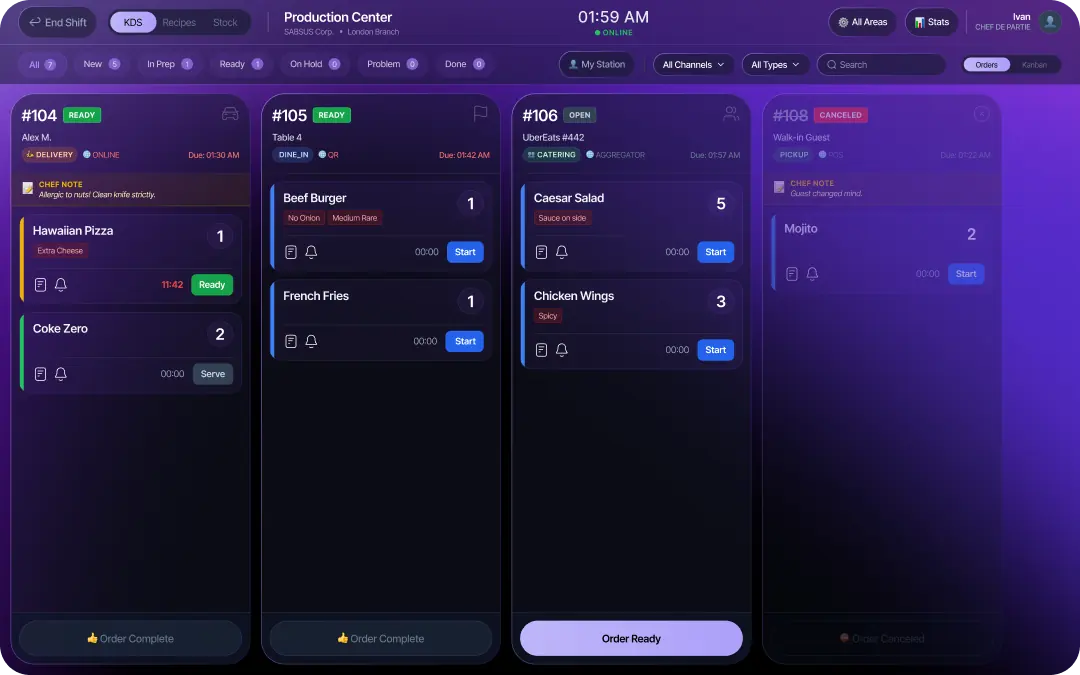
A spreadsheet records information after someone updates it Таблица показывает информацию только после того, как человек ее обновил
A customer placed an order, but Excel does not know it. A payment succeeded, but Excel does not update the status. An item was sold, but Excel does not reserve or write it off. A courier picked up the order, but Excel does not notify the customer. A manager completed a task, but Excel does not update the customer history. Клиент оформил заказ - Excel сам об этом не узнает. Оплата прошла - Excel сам не обновит статус. Товар продан - Excel сам не зарезервирует и не спишет остаток. Курьер забрал заказ - Excel сам не уведомит клиента. Менеджер выполнил задачу - Excel сам не обновит историю клиента.
This is the key difference between a spreadsheet and an operating system. Business software reacts to events. Spreadsheets wait for manual input. When operations accelerate, waiting becomes expensive. В этом ключевая разница между таблицей и операционной системой. Бизнес-система реагирует на события. Таблица ждет ручного ввода. Когда операции ускоряются, ожидание становится дорогим.
Excel breaks when every department has its own version of the truth Excel ломается, когда у каждого участка появляется своя версия правды
The spreadsheet may say that the order is “in progress”, but the warehouse does not know what to reserve. The customer may have paid, but the row is still unchanged. A staff member may have completed work, but the manager has not moved the status. A document may have been sent, but it is not connected to the order. В таблице заказ может быть “в работе”, но склад не знает, что резервировать. Клиент мог оплатить, но строка не изменилась. Сотрудник мог выполнить работу, но менеджер не передвинул статус. Документ мог быть отправлен, но он не связан с заказом.
Orders and salesЗаказы и продажи
A sale should update status, payment, customer history, inventory and reports automatically.Продажа должна автоматически обновлять статус, оплату, историю клиента, склад и отчеты.
Customers and follow-upsКлиенты и повторные действия
The team needs one customer card with requests, calls, messages, tasks, documents and next steps.Команде нужна единая карточка клиента с заявками, звонками, сообщениями, задачами, документами и следующими шагами.
Inventory and purchasingСклад и закупки
Stock, suppliers, recipes, reserves, receiving, write-offs and costs must react to actual demand.Остатки, поставщики, техкарты, резервы, приемка, списания и себестоимость должны реагировать на реальный спрос.
Payments and documentsОплаты и документы
Invoices, receipts, deposits, payment links, PDFs and accounting data should not live in separate files.Счета, чеки, депозиты, ссылки на оплату, PDF и финансовые данные не должны жить в отдельных файлах.
Manual control looks cheap until it repeats every day Ручной контроль кажется дешевым, пока он не повторяется каждый день
The direct cost of Excel is almost invisible. The hidden cost appears in employee time, corrections, lost customers, slow service, weak accountability and the inability to scale. A business may grow in revenue while losing margin through small operational leaks. Прямая стоимость Excel почти не видна. Скрытая стоимость появляется во времени сотрудников, исправлениях, потерянных клиентах, медленном сервисе, слабой ответственности и невозможности масштабироваться. Бизнес может расти в выручке и одновременно терять маржу через мелкие операционные утечки.
When Excel has already become a management risk Когда Excel уже стал управленческим риском
You do not need to wait for a major failure. The early signals are visible in everyday friction: people ask where the latest data is, reports take too long, stock does not match reality, customers ask for statuses and the owner keeps checking everything manually. Не нужно ждать крупной ошибки. Ранние сигналы видны в ежедневном трении: сотрудники уточняют, где актуальные данные, отчеты собираются слишком долго, остатки не сходятся, клиенты спрашивают статусы, а владелец продолжает проверять все руками.
- Employees constantly ask for the latest version of a file.Сотрудники постоянно спрашивают, какая версия файла актуальна.
- There are separate spreadsheets for orders, inventory, payments, tasks and reports.Есть отдельные таблицы для заказов, склада, оплат, задач и отчетов.
- Inventory numbers do not match what is actually available.Остатки в таблице не совпадают с тем, что есть в наличии.
- Payments are checked manually and statuses are updated late.Оплаты проверяются вручную, а статусы обновляются с задержкой.
- New employees need long explanations because the process lives in people's heads.Новым сотрудникам сложно войти в работу, потому что процесс живет в головах людей.
- The owner cannot leave operations without losing visibility.Владелец не может выйти из операционки без потери контроля.
A client does not care that the process is in Excel. They feel the delay. Клиенту не важно, что процесс ведется в Excel. Он чувствует задержку.
From the customer side, spreadsheet management looks like slow replies, repeated questions, unclear order status, missing payment confirmation, forgotten promises, duplicated explanations and no history. The business may be trying hard internally, but the client sees uncertainty. Со стороны клиента управление через таблицы выглядит как медленные ответы, повторные вопросы, непонятный статус заказа, отсутствие подтверждения оплаты, забытые обещания, повторные объяснения и отсутствие истории. Внутри команда может стараться, но клиент видит неопределенность.
This is why spreadsheets also reduce repeat sales. If the system does not remember what a customer bought, what they asked, what problem they had, what offer they received and when to follow up, the business must rebuild context every time. Поэтому таблицы мешают повторным продажам. Если система не помнит, что клиент покупал, о чем спрашивал, какая была проблема, какое предложение он получил и когда нужно вернуться, бизнес каждый раз собирает контекст заново.
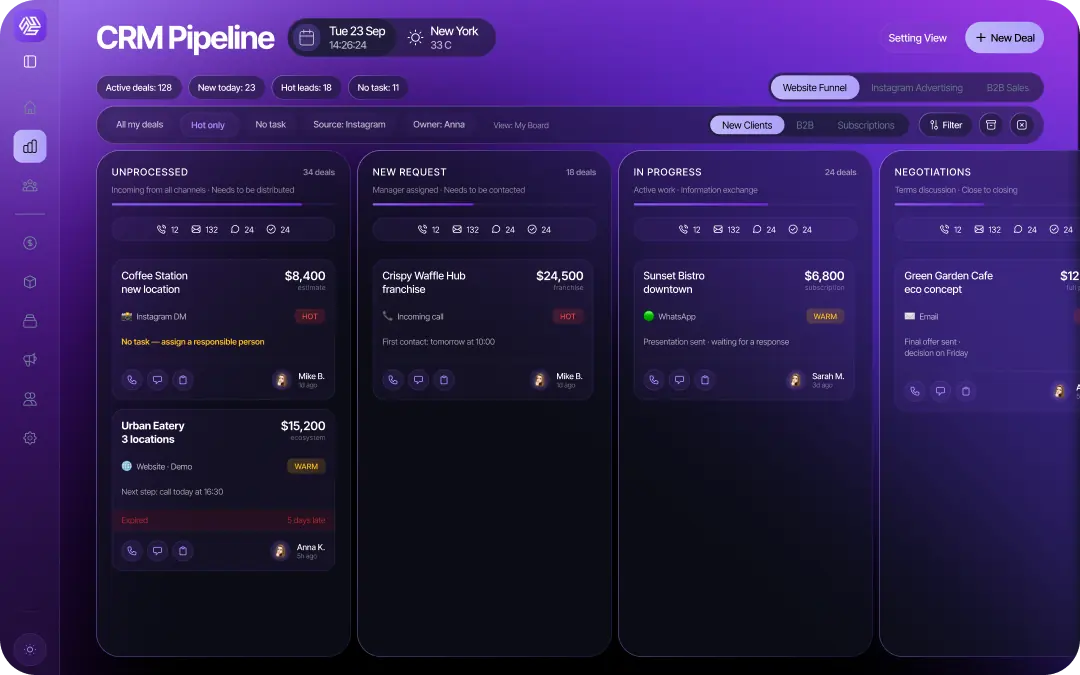
Moving away from Excel does not mean deleting spreadsheets Переход от Excel не означает полный отказ от таблиц
Excel can remain a useful analytical tool. The important change is to stop using it as the place where live operations are controlled. Orders, customers, inventory, payments, tasks, delivery, documents and analytics should live in a connected system. Spreadsheets can export data, support calculations and help with one-time analysis. Excel может оставаться полезным инструментом анализа. Главное изменение - перестать использовать его как место, где управляются живые операции. Заказы, клиенты, склад, оплаты, задачи, доставка, документы и аналитика должны жить в связанной системе. Таблицы могут экспортировать данные, помогать с расчетами и разовым анализом.
SABSUS replaces spreadsheet control with a connected operating system SABSUS заменяет управление через таблицы связанной операционной системой
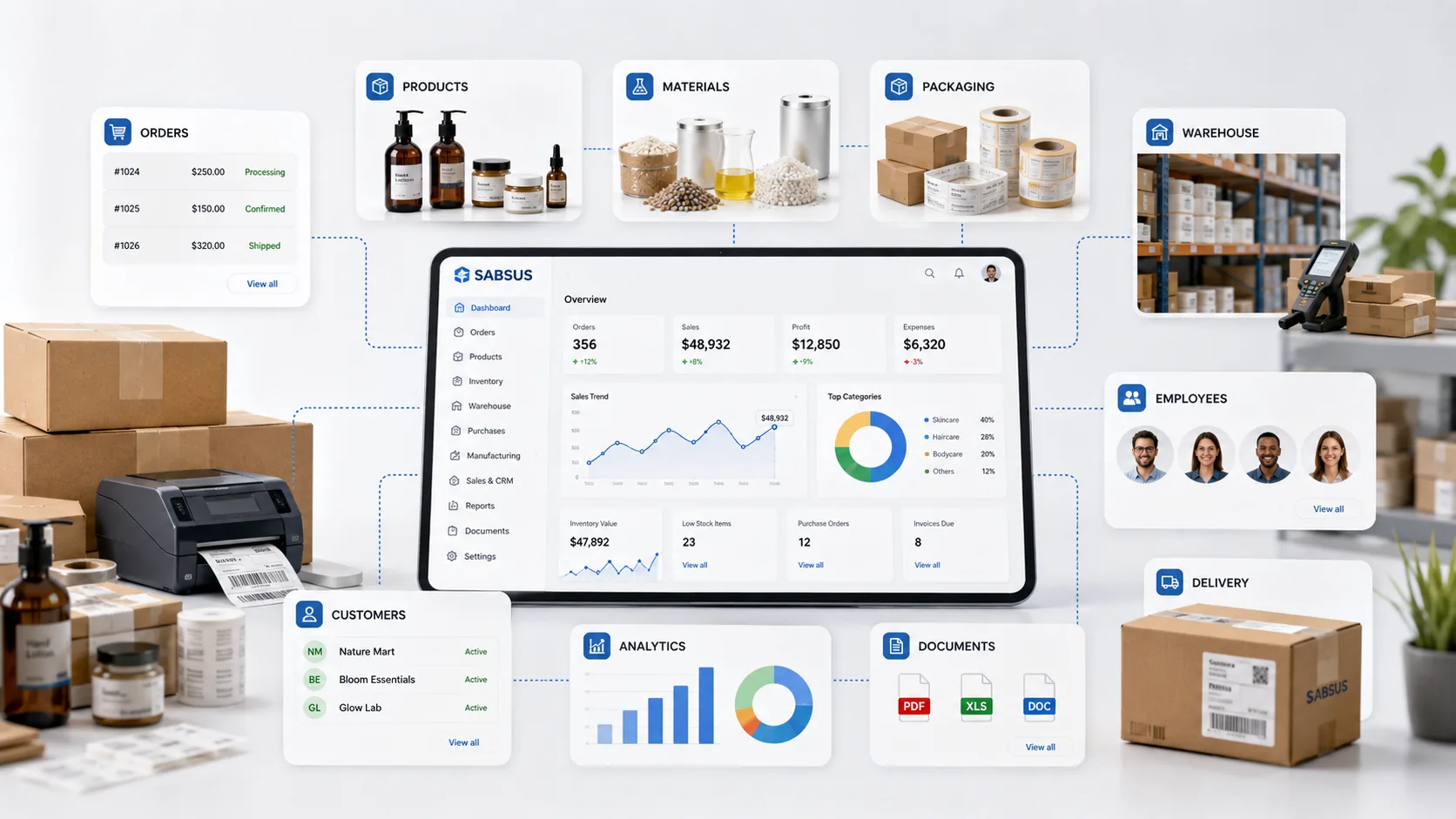
In SABSUS, a request does not become an isolated row. It becomes a live operational object. The customer is connected to CRM. The order is connected to POS and payments. Products and materials are connected to inventory. Staff see tasks. Delivery receives status. Documents are generated from the same data. Analytics reads the real process instead of waiting for a manually prepared file. В SABSUS заявка не превращается в отдельную строку. Она становится живым операционным объектом. Клиент связан с CRM. Заказ связан с POS и оплатами. Товары и материалы связаны со складом. Сотрудники видят задачи. Доставка получает статус. Документы формируются из тех же данных. Аналитика читает реальный процесс, а не ждет ручной отчет.
This gives the owner a different level of visibility: not only “how much revenue was entered into a table”, but what actually happened, what is late, what is paid, what is reserved, who is responsible, where profit leaks and what must happen next. Это дает владельцу другой уровень видимости: не только “сколько выручки внесли в таблицу”, а что реально произошло, что задерживается, что оплачено, что зарезервировано, кто отвечает, где утекает прибыль и что должно случиться дальше.
The goal is not to move the spreadsheet somewhere else. The goal is to connect the process. Цель не в том, чтобы перенести таблицу в другое место. Цель - связать процесс.
- Do not simply recreate the same spreadsheet inside another tool.Не нужно просто переносить старую таблицу в другой сервис.
- Do not automate only one department while leaving orders, payments and inventory disconnected.Не стоит автоматизировать один участок, оставляя заказы, оплаты и склад разорванными.
- Do not skip rules: statuses, responsibility, access rights and handoff points must be defined.Нельзя пропускать правила: статусы, ответственность, права доступа и точки передачи должны быть описаны.
- Do not forget training. Employees should understand where the source of truth lives and what action comes next.Нельзя забывать обучение. Сотрудники должны понимать, где источник правды и какой следующий шаг.
- Do not separate internal operations from customer experience. Statuses, payments, documents and notifications affect how professional the business feels.Нельзя отделять внутренние операции от клиентского опыта. Статусы, оплаты, документы и уведомления влияют на то, насколько профессионально выглядит бизнес.
Frequently asked questions Частые вопросы
Why does Excel stop working as a business grows?Почему Excel перестает работать при росте бизнеса?
Because growth creates more events than a file can reliably process: orders, payments, status changes, inventory movements, employee tasks, delivery updates and customer messages.Потому что рост создает больше событий, чем файл может надежно обработать: заказы, оплаты, изменения статусов, движения склада, задачи сотрудников, обновления доставки и сообщения клиентов.
Can a business still use Excel?Можно ли продолжать использовать Excel?
Yes. Excel is still useful for analysis, export, temporary calculations and planning. It should not be the main place where live orders, stock, customers and payments are controlled.Да. Excel полезен для анализа, экспорта, временных расчетов и планирования. Но он не должен быть главным местом, где управляются живые заказы, склад, клиенты и оплаты.
Why does Excel not replace CRM?Почему Excel не заменяет CRM?
CRM stores customer history, stages, responsible people, tasks, calls, messages, documents and next actions. Excel can list clients, but it does not guide the team through a customer process.CRM хранит историю клиента, этапы, ответственных, задачи, звонки, сообщения, документы и следующие действия. Excel может хранить список клиентов, но не ведет команду по клиентскому процессу.
Why is Excel risky for inventory?Почему Excel плохо подходит для склада?
Inventory changes constantly through sales, receiving, write-offs, recipes, reservations and returns. If updates depend on manual input, real stock and table stock quickly diverge.Склад постоянно меняется через продажи, приемку, списания, техкарты, резервы и возвраты. Если обновления зависят от ручного ввода, реальные остатки и таблица быстро расходятся.
When is it time to move from Excel to a system?Когда пора переходить от Excel к системе?
When the team spends time checking versions, payments, stock and statuses; when reports take hours; when clients ask what is happening; and when the owner cannot step away from daily control.Когда команда тратит время на проверку версий, оплат, остатков и статусов; когда отчеты собираются часами; когда клиенты спрашивают, что происходит; и когда владелец не может выйти из ежедневного контроля.
What should replace Excel?Что должно заменить Excel?
A connected operating system: POS, CRM, inventory, payments, delivery, tasks, documents, automation, customer app and analytics working from one data model.Связанная операционная система: POS, CRM, склад, оплаты, доставка, задачи, документы, автоматизация, клиентское приложение и аналитика, работающие на общей модели данных.
Does SABSUS import existing data?Можно ли перенести существующие данные?
Yes. Existing products, clients, orders and operational lists can be prepared for import. The important part is cleaning duplicates and defining which data becomes the source of truth.Да. Существующие товары, клиенты, заказы и операционные списки можно подготовить к импорту. Важно очистить дубли и определить, какие данные становятся источником правды.
Should Excel disappear completely?Нужно ли полностью отказаться от Excel?
No. The practical approach is to keep Excel for analysis and exports while moving operational control into a system that updates itself from real events.Нет. Практичный подход - оставить Excel для анализа и выгрузок, но перенести операционное управление в систему, которая обновляется от реальных событий.
Book a demo and see how SABSUS connects orders, customers, inventory, payments, delivery, tasks, documents and analytics in one platform.Запишитесь на демо и посмотрите, как SABSUS связывает заказы, клиентов, склад, оплаты, доставку, задачи, документы и аналитику в одной платформе.